Filter Posts
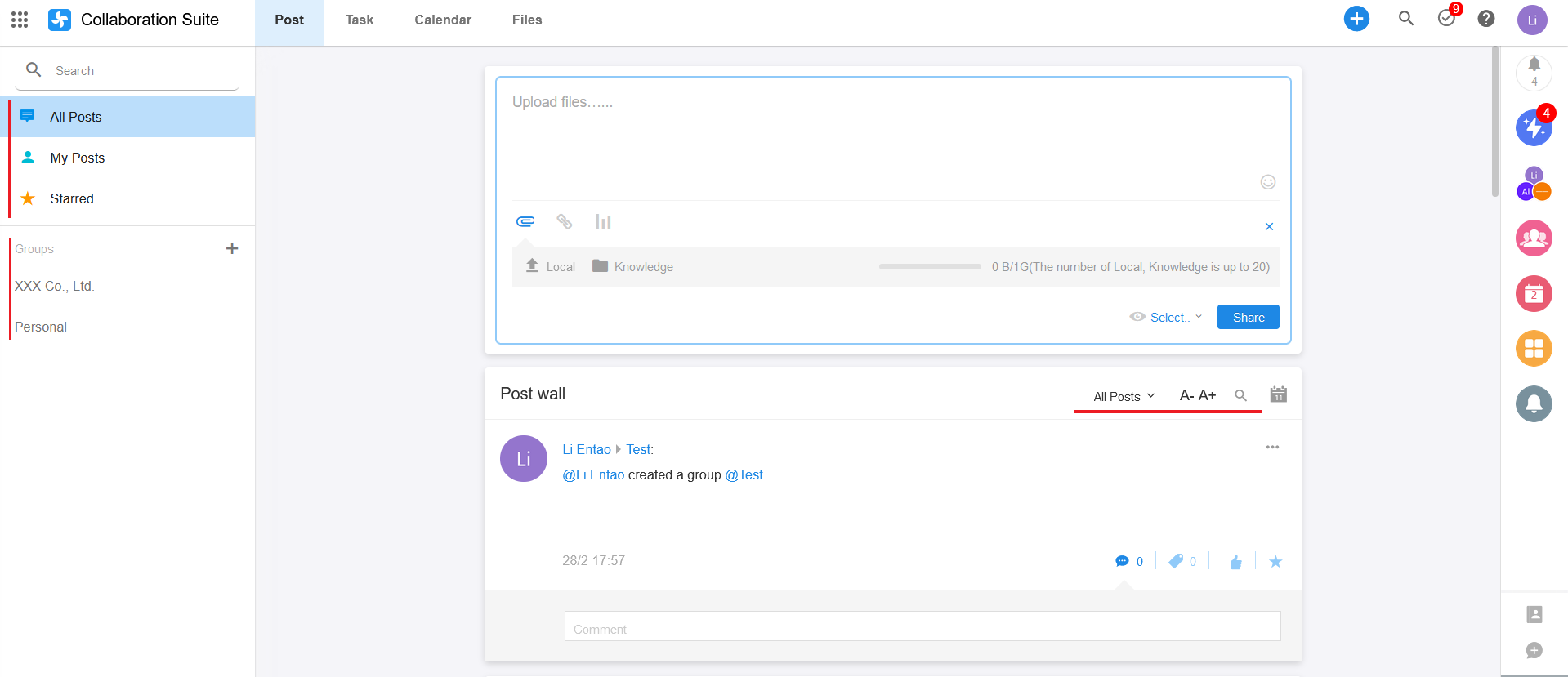
1. Filter in the left navigation bar
All Posts:
Here are all posts that are visible to you.My Posts:
Here are all the posts you have made. Here you can also view your replies to others.Starred
Here are the posts you have bookmarked. On this page, click the yellow star mark on the post to un-favorite it.Groups
Here is the list of groups you have joined. Clicking on a group, you can see the posts that are visible to that group.
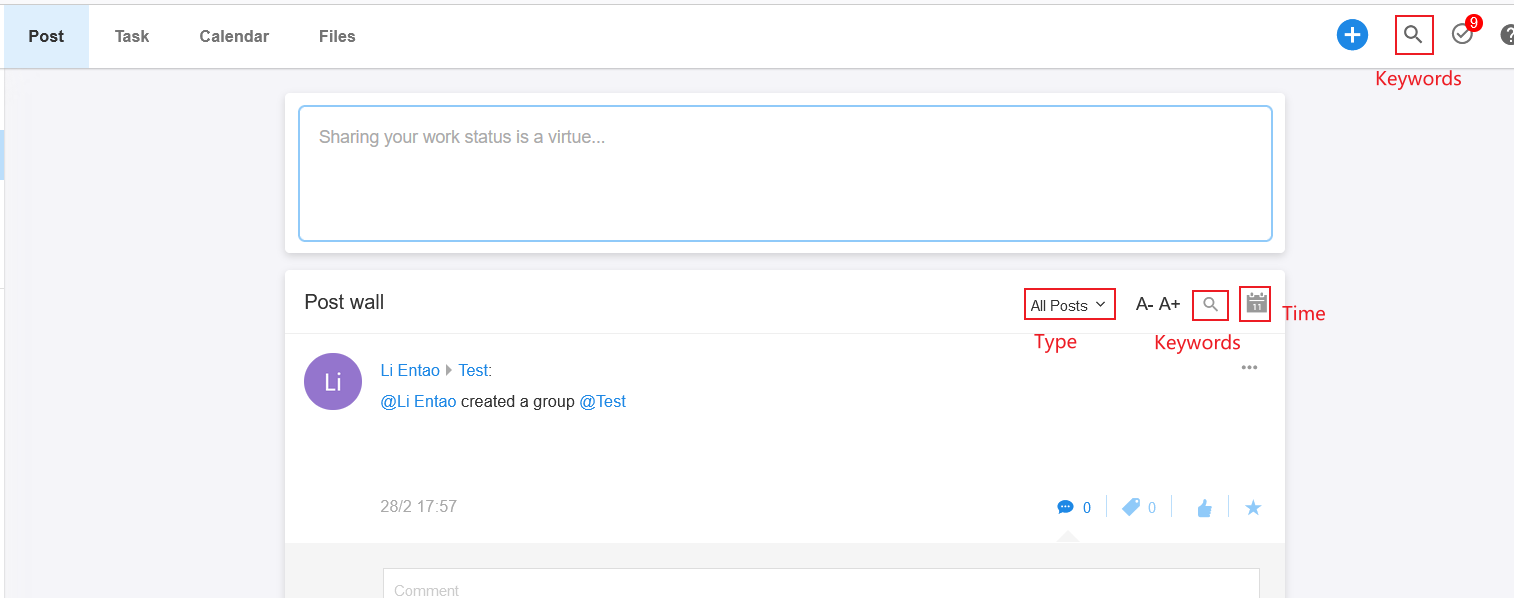
2. Search and Filter
You can filter posts by type or time, or you can enter keywords to search.
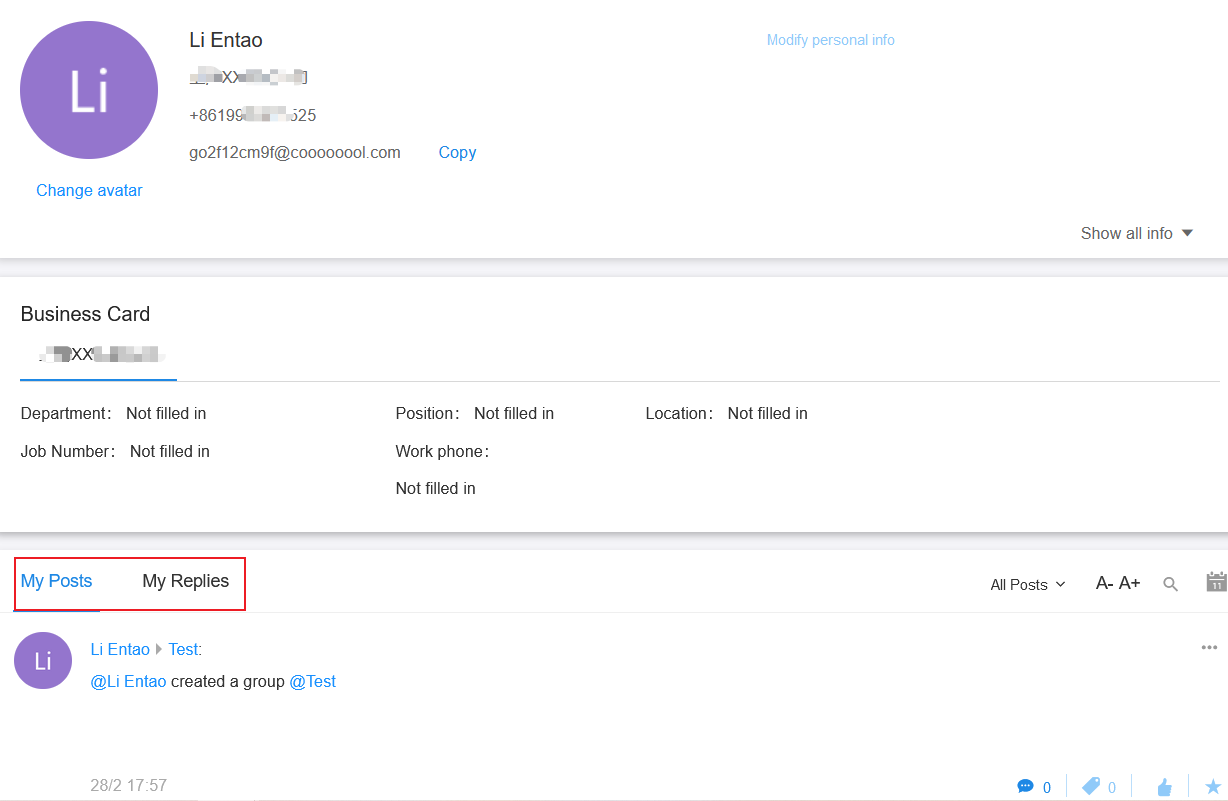
3. How to view profile page
Mouse over your profile photi, then click on your name to enter the profile page. Here are all the posts you have made. In this page, clicking [My Replies], you can check what you have replied to others.
Have questions about this article? Send us feedback