Introduction to O-Roles
Organizational roles are a flexible tag for members. Admins can create roles based on the same attributes of members, such as project, technology, production, sales, IT, etc.
After setting up roles, the admin of an application can add roles and configure permissions for them.
Roles Management
It includes creating, removing, exporting, editing roles, adding remarks, and deleting and adding members.
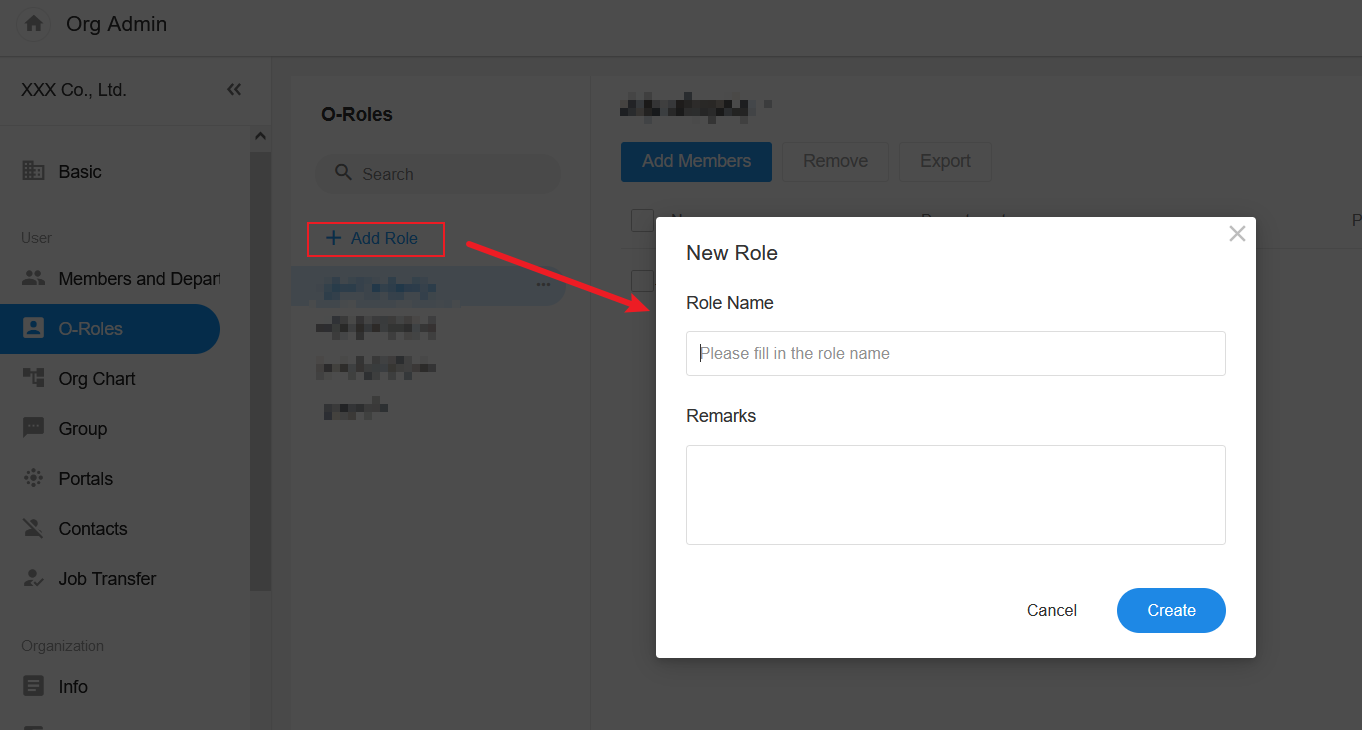
1. Create Role
Go to [Org Admin] > [O-Roles] > [Add Role] to create roles.
2. Edit/Delete Role
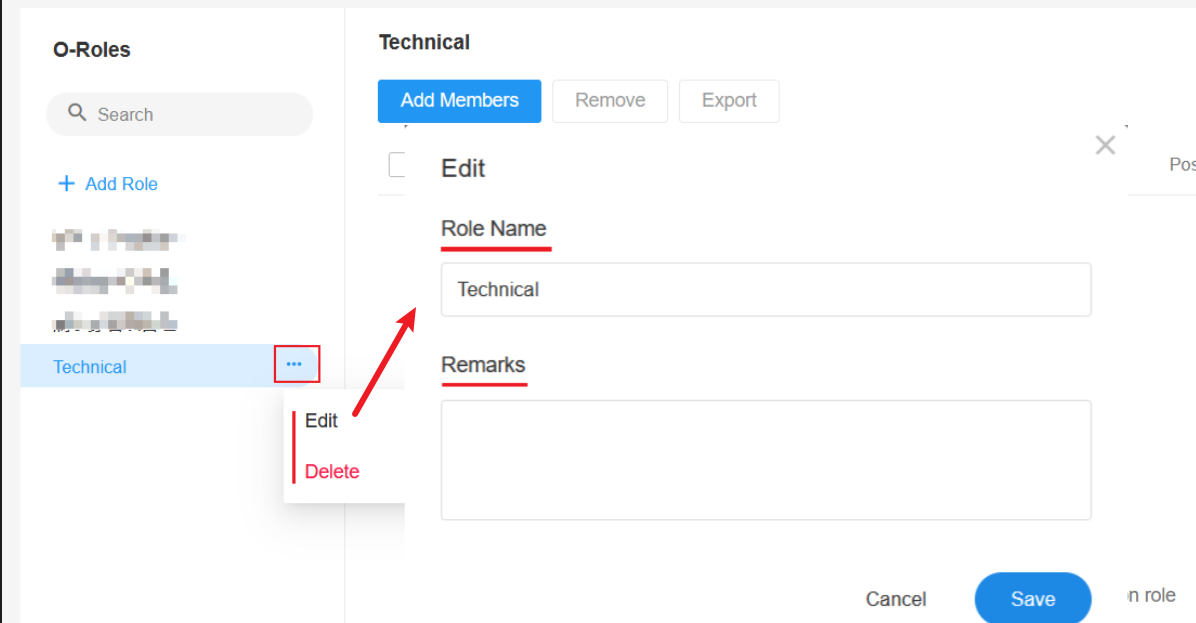
Select the target role in the role list, and then click [Edit] to edit role name and remarks.
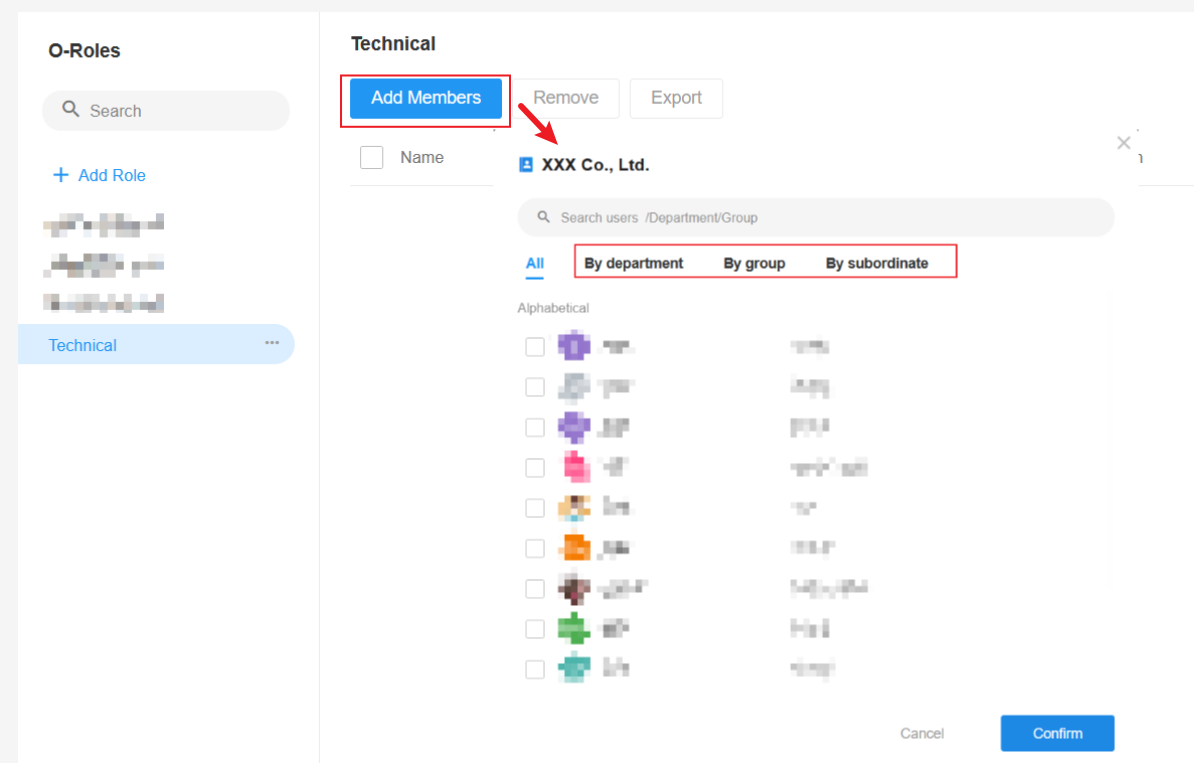
3. Add Member
Only members of the organization can be added to the role.
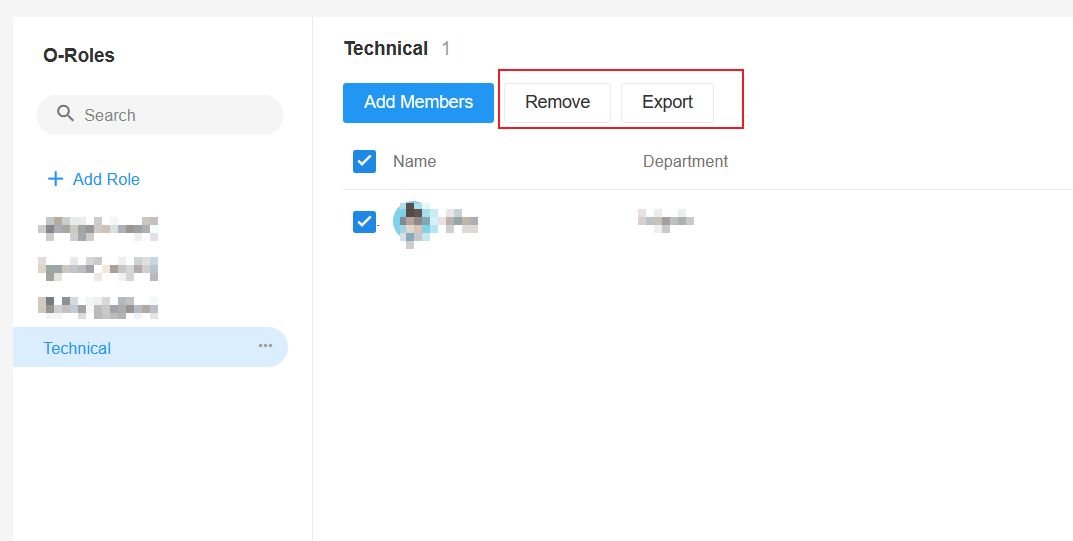
4. Remove and Export
Check the target members to export or remove them.
5. Where o-roles are involved
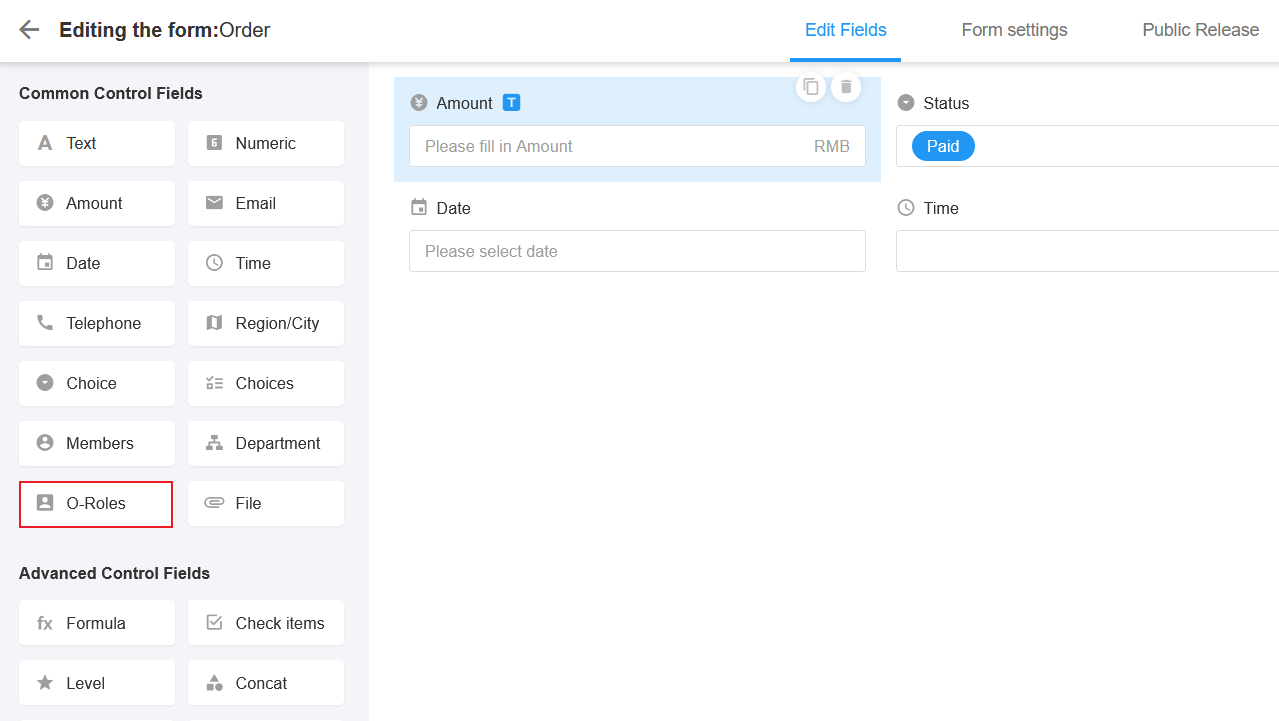
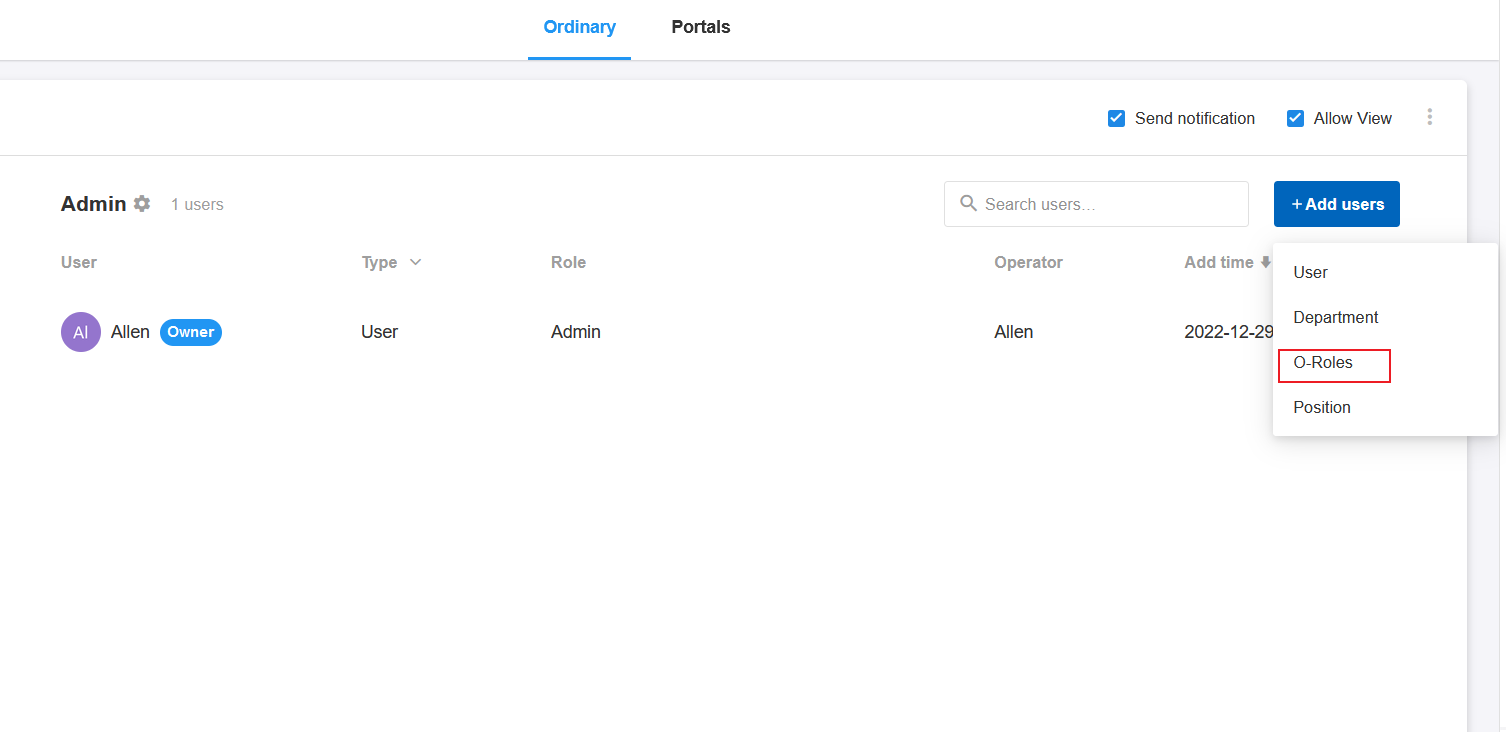
When editing a form in a worksheet, users can select [O-Roles] control, and can configure permissions for members according to roles in an application.
Have questions about this article? Send us feedback