Node - Delay
[Delay]: After the execution of the previous node, the execution of the later nodes can be deferred to a specific time. You can postpone the execution of later nodes to a specified date and time, for example, postpone the execution of a later node until 8:00 a.m. on 2019.10.1; or you can choose to postpone it for a period of time, for example, delay the execution of later nodes by two days.
Scenario:
There are estimated shipping date in the Order Management worksheet, and on the day of the estimated date, the relevant personnel are notified.
How to set the workflow
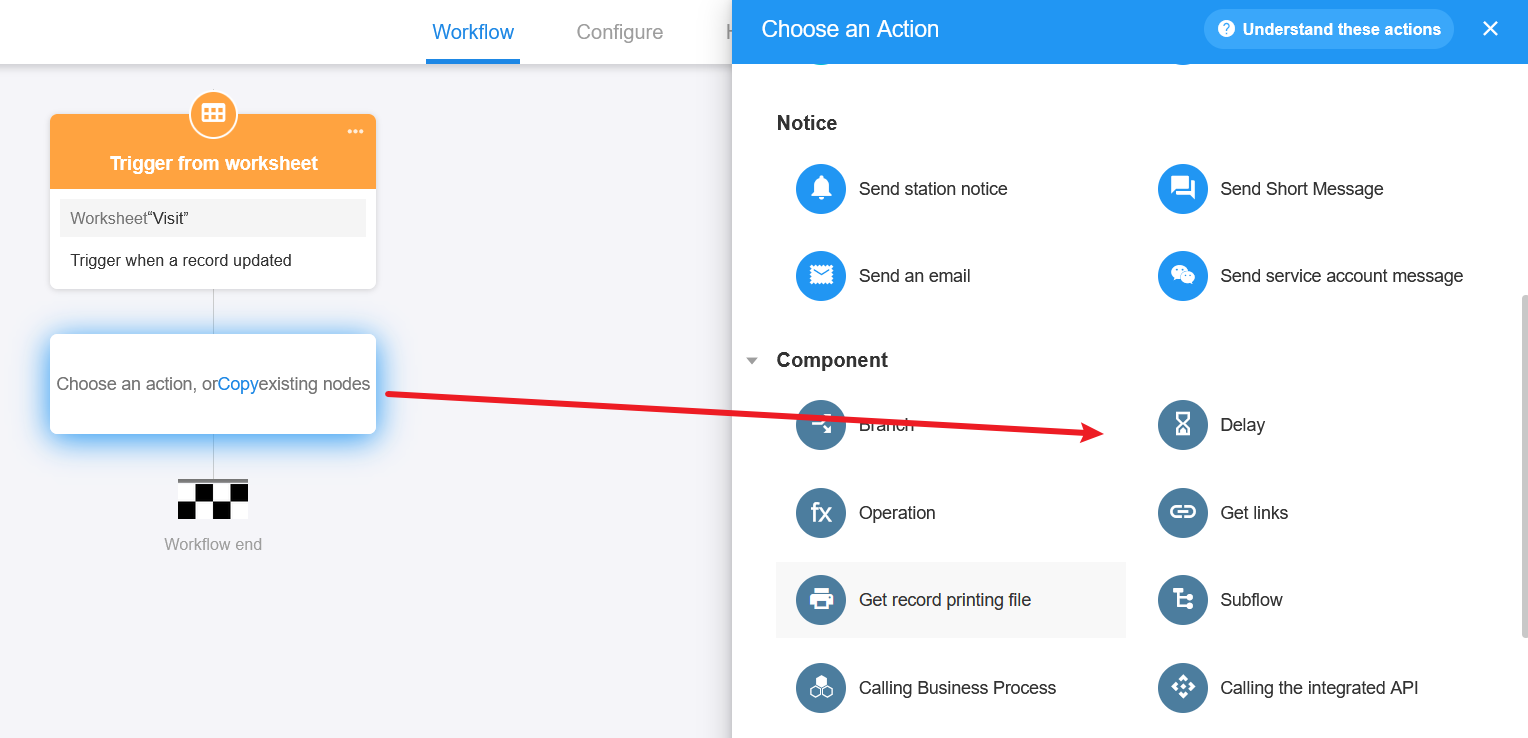
I. Add the node – [Delay]
II. Select the delay mode
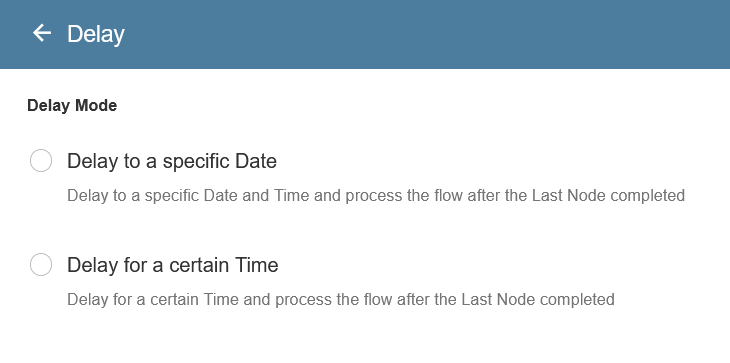
1). Delay to a specific date
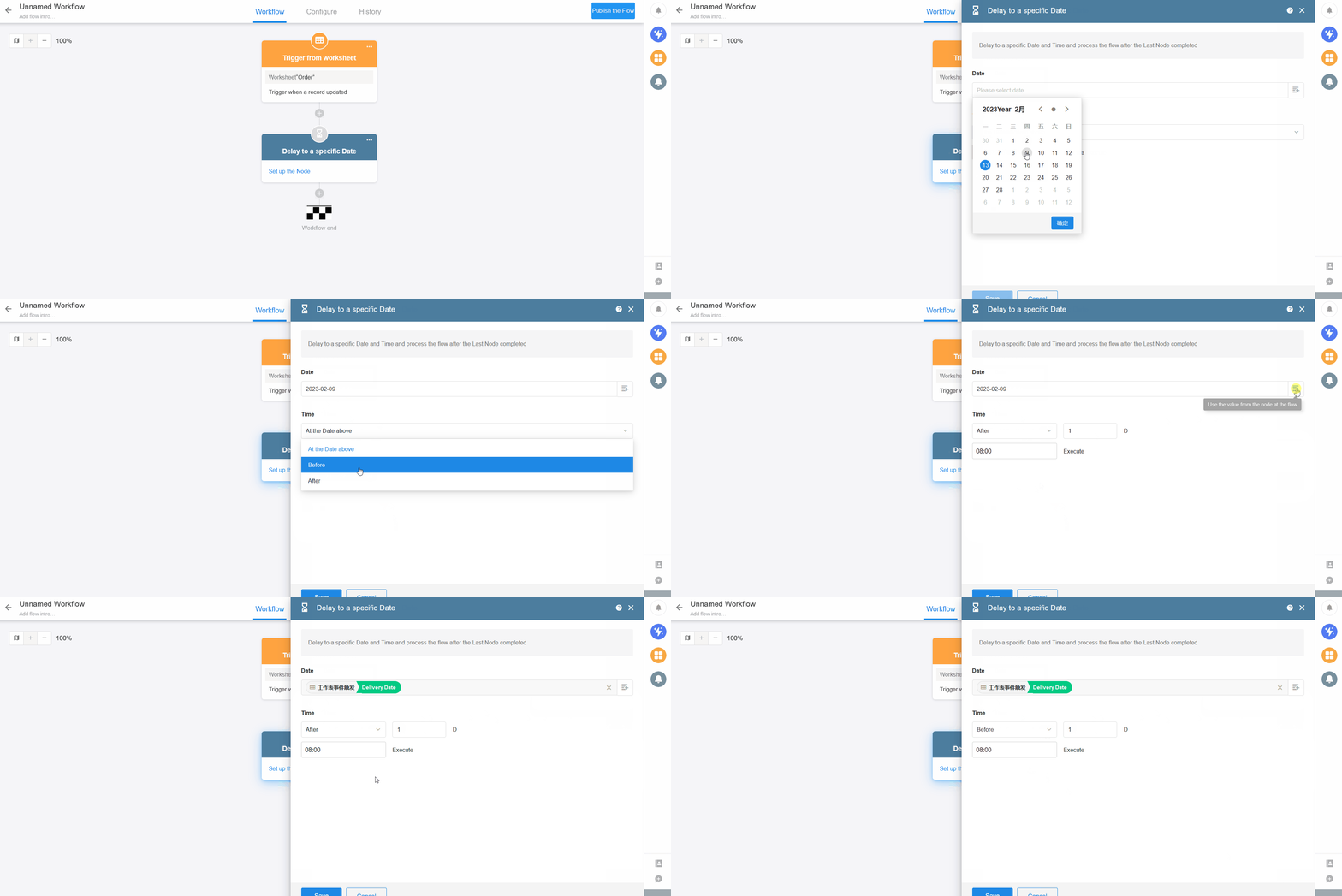
Date: You can select a date manually, or you can select one from the node. Select [Shipping Date] here.
Time: Set the execution time.
At the date above: On the day of the date selected above.
Before: Execute X days earlier than the date selected above.
After: Execute X days later than the date selected above.
The execution time is 8:00 by default, which can be modified.
As shown in the figure below, when a new order is submitted, the workflow is triggered and the subsequent nodes continue to be executed by 8:00 on the shipping date.
2). Defer for a certain time
When the previous node is executed, the execution of the later node is delayed for some time.
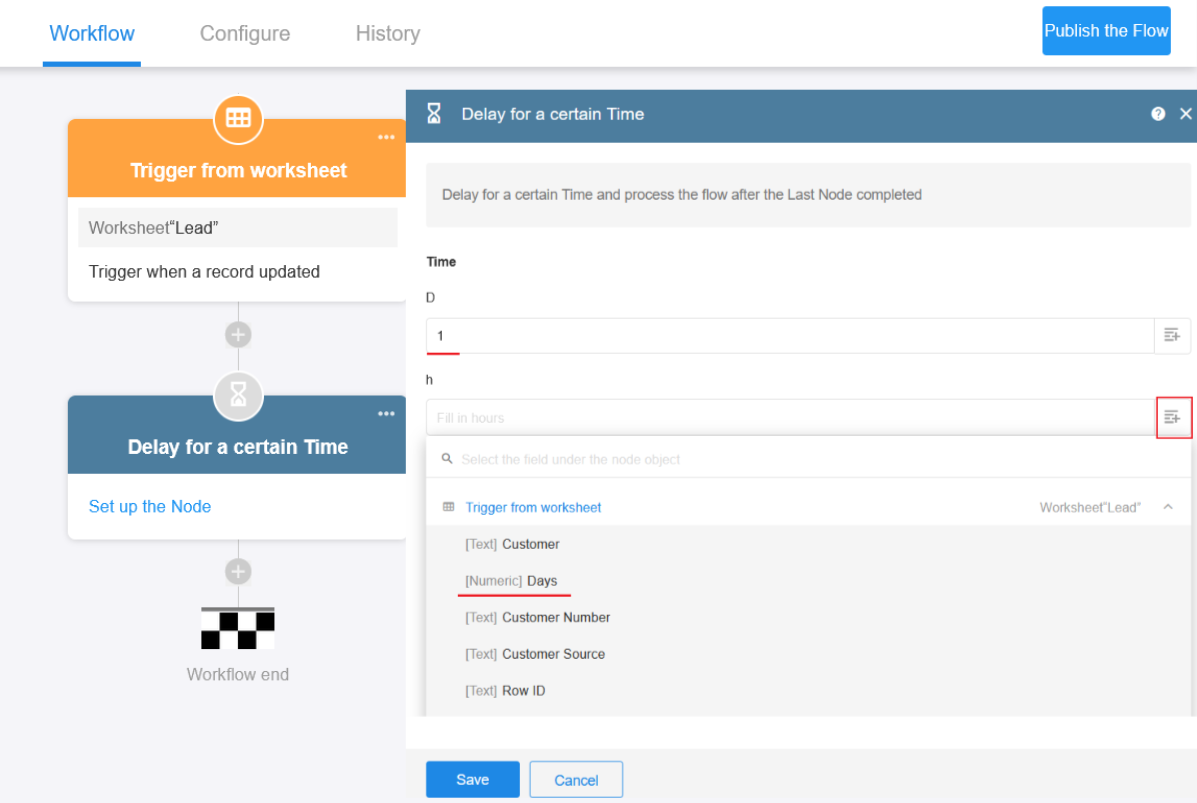
You can set a delay of X days, Y hours and Z minutes (X < = 999, Y < = 23, Z < = 59).
As shown in the figure below, when the result of the lead is modified to [Failed to contact], the workflow is triggered and the responsible sales is notified to follow up after 1 day.
The days, hours and minutes of the delay can be entered with a fixed value or can be selected from the record.
Have questions about this article? Send us feedback